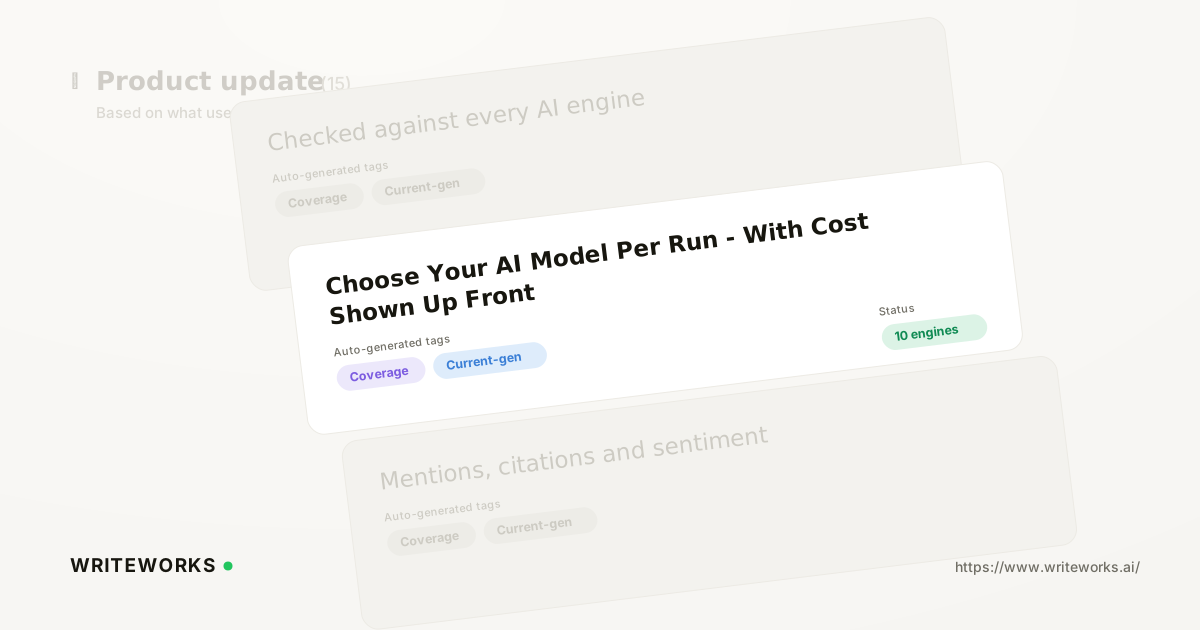
In short: WriteWorks has added a model picker to every agent, so you can choose which AI model a run uses - grouped by provider, across Anthropic and OpenAI - and see an estimated cost per run before you commit. You pick the model that suits the job; WriteWorks routes the run through its AI gateway and shows the estimate next to your selection. It's aimed at growth and search-marketing teams running agents at volume who want to balance output quality against spend.
Until now, model choice sat behind the scenes, which made cost a monthly surprise rather than a per-run decision. The model picker moves that decision into the builder, where you can see the trade-off at the moment you make it.
What is the per-run model picker?
The per-run model picker is a control on every WriteWorks agent that lets you select the AI model the agent runs on and view an estimated cost per run before saving or running it. It appears as a Model dropdown in the agent's action bar in the builder, with available models grouped by provider - Anthropic and OpenAI.
Instead of accepting a single default model for every agent regardless of task complexity, you match the model to the work: a heavier model where reasoning quality matters, a lighter one where the job is routine.
How the model picker works
Your selection changes which model the agent runtime uses for that agent's runs. The runtime routes the chosen model through WriteWorks' AI gateway, so switching provider or model doesn't require any new keys, connections or reconfiguration on your side.
The cost figure shown beside the dropdown is an estimate, not a bill. It is calculated by multiplying the run's token budget by the per-token price of the model you've selected. Two practical implications follow:
- The estimate moves when you change model, because per-token pricing differs by model and provider.
- The estimate reflects the run's token budget, so it represents the upper bound of that run rather than a prediction of exactly what every run will consume.
Model choice is set per agent, so different agents in the same workspace can run on different models without affecting one another.
Who the model picker is for
The picker is useful to anyone running WriteWorks agents, but especially if you:
- Run a mixed portfolio of agents - some doing nuanced analysis of how brands appear in AI answers, others handling repetitive formatting or extraction work that doesn't need a flagship model.
- Own an AI budget you have to defend - you can see the cost implication of a configuration change before it becomes a line item.
- Are scaling agent usage across a team - per-agent model choice lets you standardise on a sensible default and make deliberate exceptions.
- Are testing output quality - you can run the same agent brief on different models and compare results, with the cost difference visible alongside.
Advanced users benefit too: if you've already tuned prompts and agent instructions closely, model selection becomes another variable you can hold constant or deliberately vary during testing.
What the model picker changes
The practical shift is that quality-versus-cost becomes a decision you make in the builder, at the level of an individual agent, rather than a workspace-wide setting you inherit.
Three things get easier as a result:
1. Right-sizing. Simple, high-frequency jobs no longer have to run on the most expensive model available.
2. Forecasting. Because the estimate is shown per run, multiplying it by your expected run volume gives you a workable planning figure.
3. Justifying spend upgrades. If a more capable model genuinely improves an agent's output, you can point to the incremental cost per run rather than arguing in the abstract.
How to choose a model for an agent
1. Open an agent in the builder.
2. Pick a model from the Model dropdown in the action bar - models are grouped by provider, so you can scan Anthropic and OpenAI options together.
3. Check the estimated cost/run shown next to the dropdown.
4. Select Save to keep the model as the agent's setting, or Run to execute immediately with it.
That's the whole flow. There's nothing to connect and no billing configuration to change; the runtime handles routing through the AI gateway.
Tips for a better result
- Change one thing at a time. If you're comparing models, keep the agent's instructions identical so any difference in output is attributable to the model.
- Start with the job, not the model. Ask what the agent actually has to do - summarise, extract, classify, reason across sources - and choose accordingly.
- Use the estimate as a planning input. Multiply the per-run figure by your realistic run frequency before rolling an agent out across a whole portfolio of brands or topics.
- Revisit periodically. Model line-ups and pricing move; a choice that was right last quarter is worth a second look.
- Document your defaults. If several people build agents in the same workspace, agree which model is the standing default and when to deviate.
Frequently asked questions
Which providers and models are available in the model picker?
Models are grouped by provider in the Model dropdown, covering Anthropic and OpenAI. The exact list reflects the models WriteWorks currently supports through its AI gateway, so what you see in the dropdown is the authoritative list for your workspace at any given time.
Is the estimated cost per run exact?
No - it is an estimate. WriteWorks calculates it by multiplying the run's token budget by the selected model's per-token price, which makes it a reliable ceiling for planning rather than a precise invoice. Actual consumption can be lower if a run finishes within budget.
Can different agents use different models?
Yes. Model choice is set per agent, so an agent handling detailed analysis can run on a more capable model while a routine, high-volume agent runs on a lighter one. Changing one agent's model has no effect on any other agent in the workspace.
Do I need my own API keys to switch models?
No. The agent runtime routes your chosen model through WriteWorks' AI gateway, so there are no separate provider keys to add or manage when you change model or provider in the dropdown.
Which plans include the per-run model picker? (confirm before publishing)
Placeholder - confirm plan availability with the WriteWorks team before publishing. See [pricing for current plan details.]
The bottom line
The per-run model picker puts the quality-versus-cost decision where it belongs: in front of you, on the agent, before the run happens - so simple jobs stop costing flagship prices and heavier jobs get the model they need.
If you'd like to right-size your agent spend, open an agent in the builder, pick a model from the Model dropdown and check the estimated cost per run before you save. You can read more about WriteWorks Agents or explore how the wider platform tracks AI-search visibility across ChatGPT, Claude, Perplexity, Gemini and Google AI Overviews.
Availability: [confirm release date before publishing].