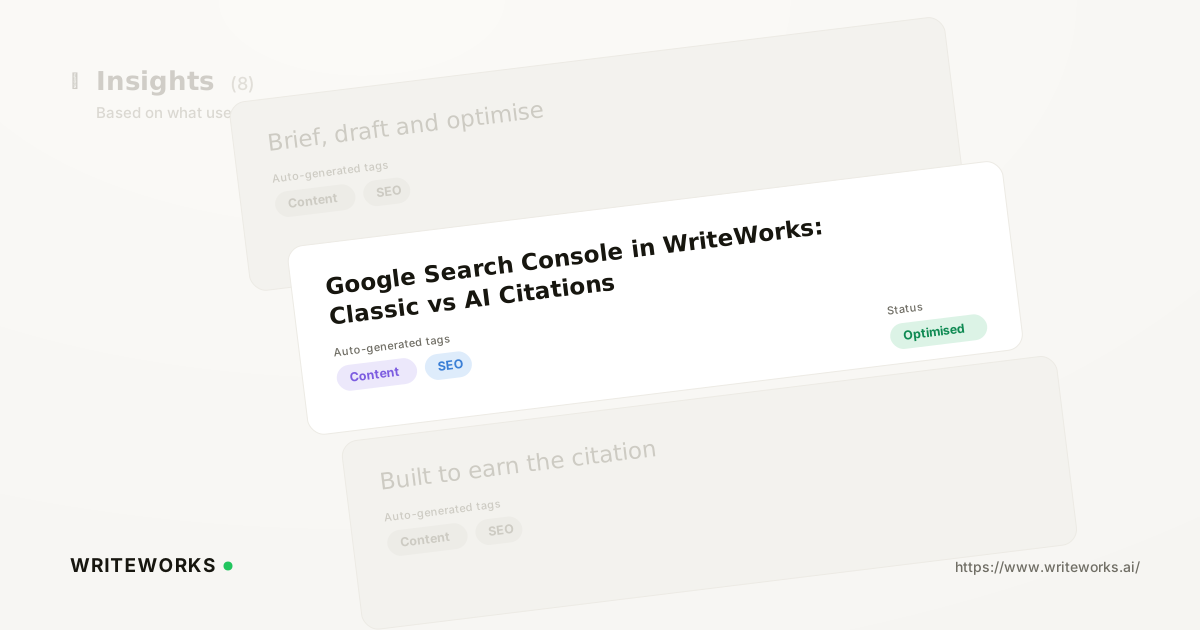
Great news this week , we have shipped and added a Google Search Console integration, so classic search performance - clicks, impressions, CTR and average position - sits alongside AI-engine citation data for the same URLs in one workspace. You connect the property once; WriteWorks pulls the query and page data and lines it up against where those pages are being cited by AI engines. It's aimed at growth and search-marketing leaders who are being asked to report on organic search and AI visibility together.
Until now, most teams answered that question by exporting a Search Console report, exporting an AI visibility report, and reconciling the two in a spreadsheet. That work is slow, it goes stale within a week, and it hides the most interesting finding: the pages where the two channels disagree.
What is the WriteWorks Google Search Console integration?
The Google Search Console integration is a data connection inside WriteWorks that imports your verified property's search performance data and displays it next to AI-engine citation data for the same URLs and topics. Instead of comparing two dashboards by hand, you see traditional search metrics and AI visibility in a single view.
Search Console remains the source of truth for what happens in Google's classic results. WriteWorks doesn't replace it - it reads from it, then adds the layer Search Console doesn't cover: whether AI assistants are citing that page when people ask related questions.
How the integration works
It works through an authorised connection to your Google account, scoped to the Search Console properties you choose. Once connected, WriteWorks retrieves performance data - clicks, impressions, click-through rate and average position, broken down by query and by page - using Google's own reporting data, and refreshes it on an ongoing basis.
A few mechanics worth knowing:
- You need a verified property. WriteWorks can only read properties your Google account already has access to in Search Console. Domain properties give the broadest coverage; URL-prefix properties are limited to that prefix.
- Google's data rules still apply. Search Console applies its own data-freshness lag and filters some low-volume queries for privacy reasons, as described in Google's Search Console performance report documentation. WriteWorks reflects what the API returns rather than estimating around it.
- Matching happens at URL and topic level. Your Search Console pages are aligned with the same URLs WriteWorks already tracks for citation tracking across AI engines, so you can read both signals for one page side by side.
- It's read-only. The integration does not submit, change or remove anything in your Search Console account.
Who this is for
The integration is especially useful if you:
- Own an organic search programme and now report on AI visibility to the same leadership group.
- Need to explain why traffic to a page is flat or falling while the page itself is being cited more often by AI assistants.
- Want to find pages that rank well in classic search but are absent from AI answers - usually the fastest, cheapest optimisation work available.
- Run informational content where Google AI Overviews tracking matters as much as blue-link position.
- Manage several brands or properties and need consistent, comparable reporting across them.
Advanced practitioners get value too: query-level Search Console data narrows down which real phrasings to test as prompts, rather than guessing at how buyers ask AI engines the same question.
What it changes in practice
The practical shift is that divergence becomes visible instead of theoretical. Four patterns are worth watching for on any given URL:
1. Strong in classic search, cited by AI engines. Working as intended - protect it and keep the page current.
2. Strong in classic search, not cited. The page ranks but isn't being pulled into AI answers. Usually a structure, clarity or evidence problem you can fix on the page.
3. Cited by AI engines, weak in classic search. AI engines trust the page more than Google's ranking does. Worth strengthening the fundamentals so both channels reward it.
4. Weak in both. A candidate for consolidation, rewrite or retirement.
Reading those quadrants replaces the vaguer conversation about whether "AI is eating our traffic" with a page-by-page list of things to do. Paired with per-URL AI search performance in Page Analytics, you get one view of how a single page earns attention in both channels.
How to connect Google Search Console
1. Open Settings in your WriteWorks workspace and go to the Integrations section.
2. Find Google Search Console and start the connection.
3. Sign in with the Google account that has access to your property, and grant the read-only Search Console permission requested.
4. Select the property (or properties) you want to import.
5. Confirm the connection, then allow the first data sync to complete before reviewing your reports.
[Verify before publishing: exact button labels in the current build, initial sync time, and the number of properties supported per workspace.]
Tips for a better result
- Connect a domain property where you have one, so subdomains and protocol variants are covered in a single import.
- Pair it with the Google Analytics 4 connection if you want behaviour and conversion context alongside impressions and citations.
- Use your top Search Console queries as a shortlist of prompts to track, then check whether the pages that rank for them are actually cited.
- Compare like-for-like date ranges. Search Console's lag means the last few days of any period will look artificially low.
Frequently asked questions
Does WriteWorks change anything in my Search Console account?
No. The integration requests read-only access. WriteWorks retrieves performance data for the properties you select and does not submit sitemaps, request indexing, alter settings or remove data. You can revoke access at any time from your Google account permissions or by disconnecting the integration inside WriteWorks.
Which Search Console metrics does WriteWorks show?
WriteWorks imports the core performance metrics Google exposes: clicks, impressions, click-through rate and average position, broken down by query and by page. These are displayed alongside AI citation data for the same URLs, so you can compare classic search performance and AI visibility without exporting either data set.
Why don't my WriteWorks numbers match Search Console exactly?
Search Console applies a data-processing delay and filters some low-volume, anonymised queries. Totals can also differ depending on the date range, property type and any filters applied in either interface. WriteWorks reports what Google's API returns for the selected property and period rather than modelling the gaps.
Is Search Console data enough to measure AI visibility?
No. Search Console reports impressions and clicks from Google Search, including surfaces such as AI Overviews, but it does not tell you whether ChatGPT, Perplexity, Claude, Gemini or Copilot cite your pages. That requires separate measurement - which is what the AI search visibility metrics guide sets out.
The bottom line
Putting Search Console data next to AI-engine citations turns two disconnected reports into one prioritised list of pages to fix, protect or retire. If you already track AI visibility in WriteWorks, open Settings, connect your Google Search Console property, and see which of your best-ranking pages AI engines are still ignoring.