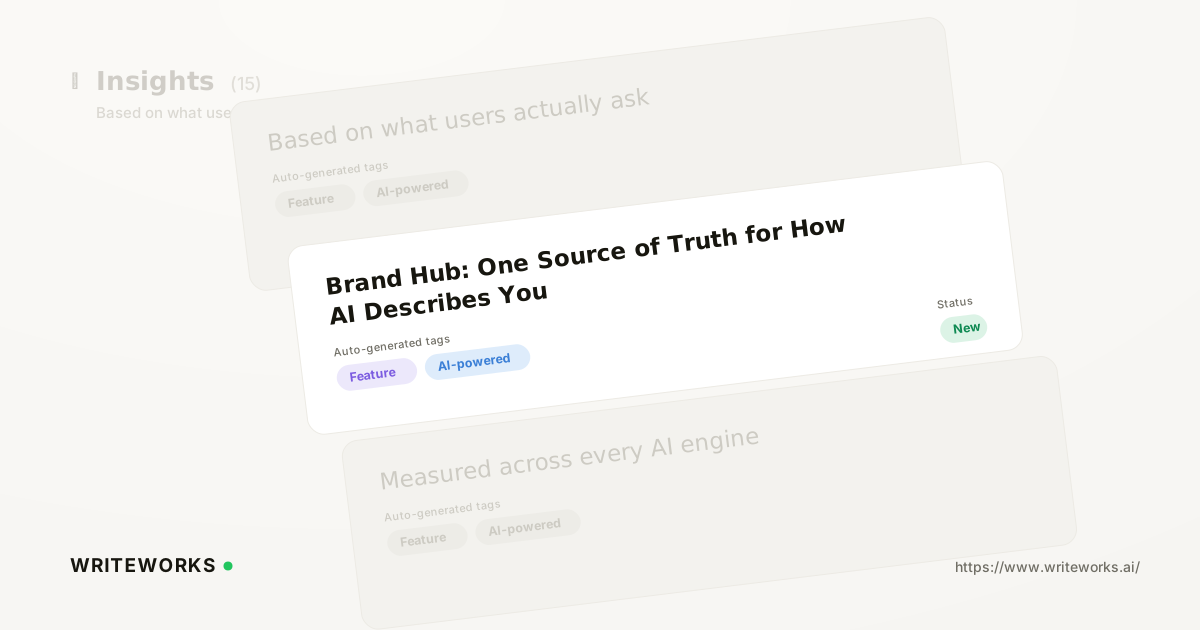
Today we had added Brand Hub, a single place to store your positioning, products and services, tone of voice and competitor set. Every brief, agent and optimisation run then draws on the same brand facts instead of whatever context the person running it happened to paste in. It is aimed at growth, content and product-marketing teams who need consistency across AI-generated output and AI-search reporting.
The problem it removes is familiar: the same brand described three different ways in three different places. One writer calls the product a "platform", another calls it a "tool", a third names a competitor that stopped being relevant two quarters ago - and AI engines pick up whichever version they find.
What is Brand Hub?
Brand Hub is a shared brand-context store inside WriteWorks that holds your positioning, products, tone of voice and competitor set, and supplies them to every feature that generates or evaluates content. Instead of re-explaining the brand in each prompt, brief or agent configuration, you record it once and the workspace reuses it.
That distinction matters more than it used to. Brand facts now feed two directions at once: outward into the content you publish, and inward into how AI search visibility tracking interprets what engines say about you.
How Brand Hub works
Brand Hub sits at workspace level and acts as the default context layer for the rest of the WriteWorks platform. You populate it once; features that need brand context read from it rather than asking the operator to supply it.
In practice that means:
- Positioning - how the brand describes what it does, who it serves and what makes it different, in the wording you actually want repeated.
- Products and services - the names, categories and descriptions that should be used consistently, including the ones people commonly get wrong.
- Tone of voice - the stylistic rules generated drafts should follow, so output does not swing between registers run to run.
- Competitor set - the named rivals you benchmark against, which keeps competitive reporting anchored to the same list over time.
Brand Hub does not change what AI engines already believe about your brand. It governs the inputs WriteWorks uses - briefs, agent configurations, optimisation passes and competitive comparisons - so those inputs are consistent and correct. Improving what engines say still depends on the content you publish and the sources that cite you.
Who Brand Hub is for
It is most useful if you:
- Run a content team where several writers, freelancers or agencies produce work against the same brand.
- Manage more than one brand or market in a single workspace and need each to keep its own facts - a common requirement in agency multi-brand AI search programmes.
- Report on competitor share of voice and need the comparison set to stay stable so trends mean something.
- Are a product marketer responsible for messaging that keeps drifting once it reaches production content.
- Build and run agents regularly and are tired of pasting the same background paragraph into every configuration.
Advanced users benefit too. Anyone who has built a careful prompt library will recognise that most of that library is brand context repeated with small variations - Brand Hub removes the duplication and the version-drift that comes with it.
What Brand Hub changes
The practical shift is that brand accuracy stops being a per-run responsibility and becomes a workspace setting. When positioning changes, you update it in one place rather than hunting through agents, templates and saved briefs.
It also makes review faster. If a draft describes the brand incorrectly, the question becomes whether Brand Hub is wrong or the run ignored it - a much narrower diagnosis than auditing whatever context was pasted in at the time. That same consistency helps machines: Google's guidance on Organization structured data makes the same point about explicit, unambiguous brand information being easier for systems to interpret than inference alone.
How to set up Brand Hub
1. Open Brand Hub from your workspace and select the brand you want to configure.
2. Add your positioning - what the brand does, who it is for and the differentiators you want repeated verbatim.
3. List your products and services with the names and descriptions that should be treated as canonical.
4. Set tone of voice, including anything to avoid: terms, claims or registers that should never appear in generated drafts.
5. Add your competitor set, using the named rivals you already report on.
6. Save the brand profile, then run a brief or agent to confirm the context is being applied as expected.
(Exact on-screen labels and navigation path to be confirmed against the shipped UI before publishing.)
Tips for a better result
- Write positioning as sentences you would be happy to see quoted, not as internal shorthand.
- Include the misconceptions you want corrected - the wrong category, the outdated product name - so drafts actively avoid them.
- Keep the competitor list deliberately short; a stable set of genuine rivals produces more readable trends than a long list.
- Revisit Brand Hub after any launch or repositioning, and treat it as part of the launch checklist rather than an afterthought.
Frequently asked questions
Does Brand Hub change what ChatGPT or Perplexity say about my brand?
No. Brand Hub governs the brand context WriteWorks uses when generating briefs, running agents and optimising content. What AI engines say about you is shaped by the content you publish and the sources they cite, which WriteWorks measures separately through visibility and citation reporting.
Can I store more than one brand?
Brand Hub is organised per brand within a workspace, so multi-brand and multi-market teams can keep separate positioning, product lists, tone rules and competitor sets. Each brand's facts stay scoped to that brand, so a run for one never inherits another's messaging by accident.
How does Brand Hub relate to agents and optimisation runs?
Agents and optimisation runs read brand context from Brand Hub instead of requiring it in every configuration. If you already build agents by describing them in the Builder, as covered in the update on building AI agents by chatting, Brand Hub supplies the background those descriptions previously had to include.
The bottom line
Brand Hub turns brand facts into a maintained asset rather than something reassembled from memory on every run, which makes generated content more consistent and competitive reporting more comparable over time. If you want your positioning, products and tone applied the same way across every brief and AI content optimisation pass, open Brand Hub and fill in your first brand profile.