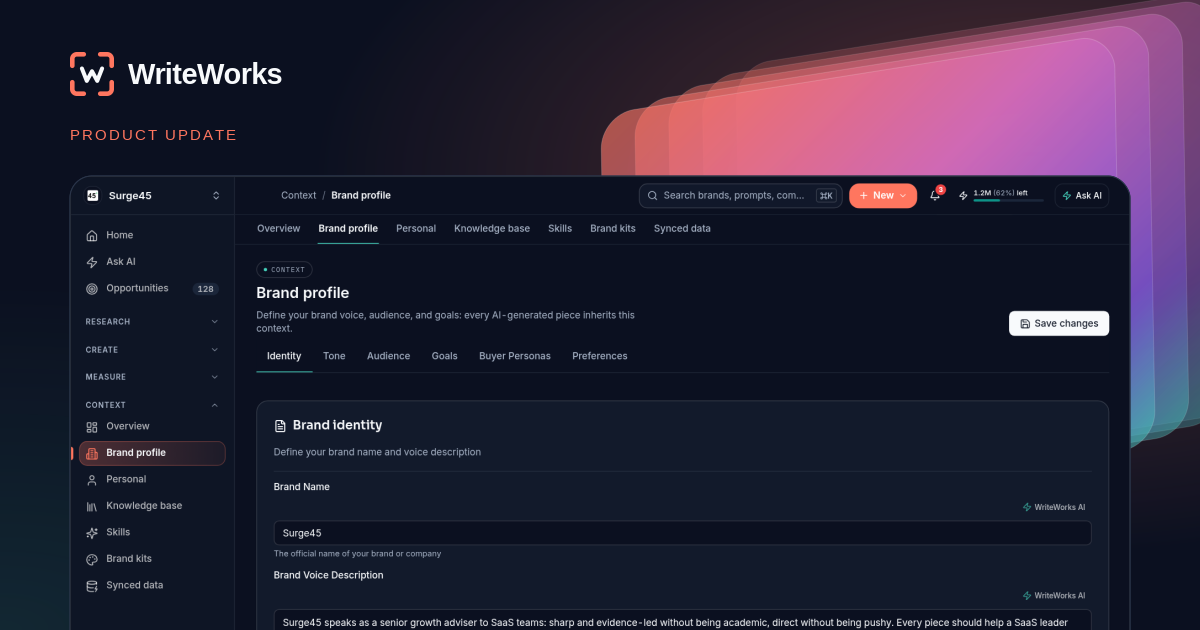
We have just shipped and added one-click auto-fill wherever you set up brand details. Instead of typing every field by hand, you select auto-fill and WriteWorks drafts the empty fields, suggested personas and a default brand kit for you to review and edit. It's aimed at marketers setting up a new workspace, and at agencies onboarding brand after brand.
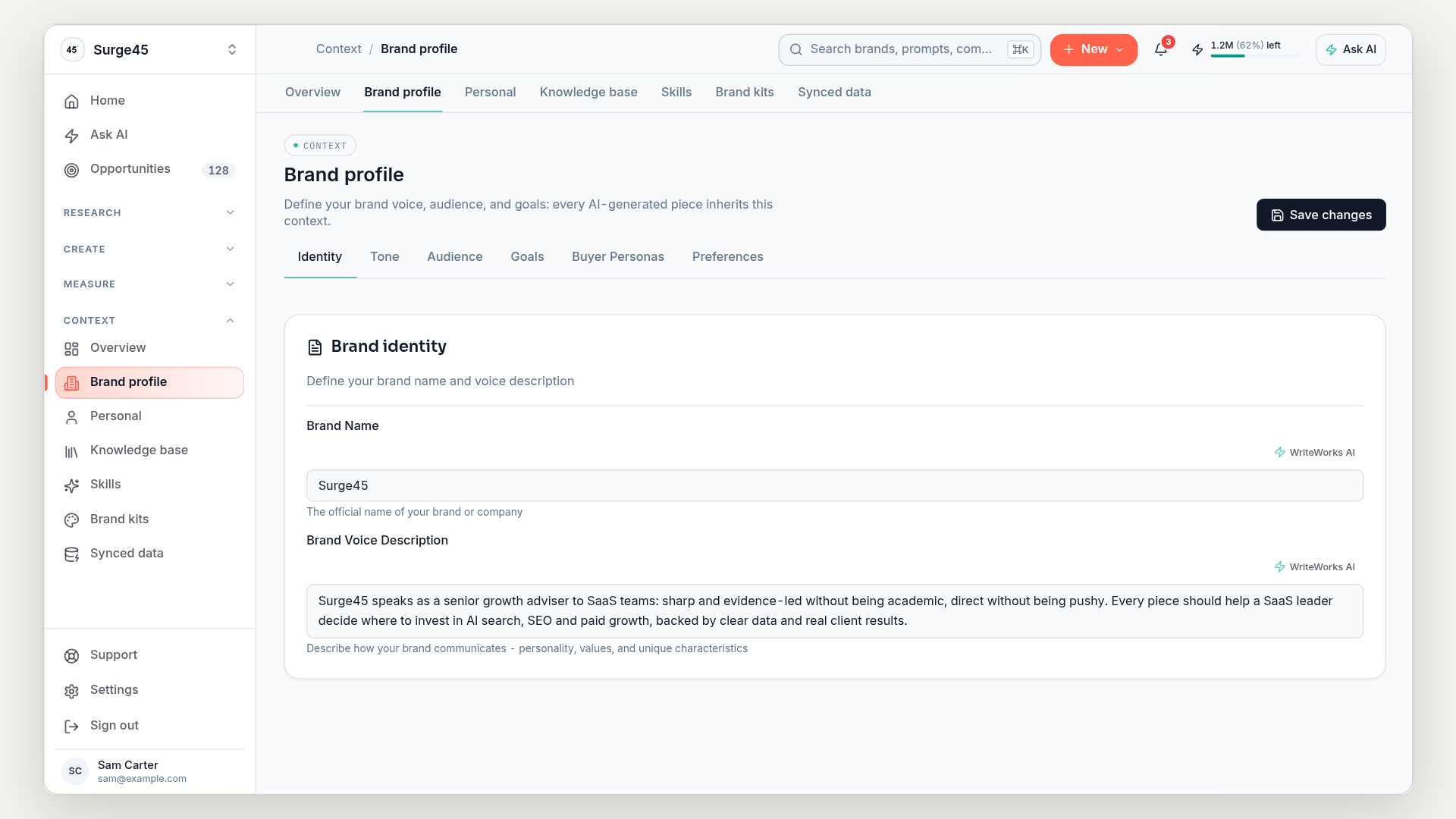
Brand setup is the least enjoyable part of adopting any platform. It is also the part that quietly determines output quality later, because everything from prompt sets to generated content leans on what you entered. Auto-fill removes the blank page without removing your control.
What is one-click auto-fill?
One-click auto-fill is a drafting assistant inside the brand setup screens in WriteWorks that populates empty brand profile fields, personas and a default brand kit from the context already in your workspace. Instead of writing a positioning statement, an audience description and a tone-of-voice note from scratch, you review a draft and correct it.
Nothing is published or locked in by the action. Auto-fill writes into editable fields, exactly as if you had typed them, so every suggestion can be rewritten, trimmed or deleted before you save.
How auto-fill works
Auto-fill reads the brand context you have already given WriteWorks - the brand name, website and any fields you have filled in - and uses that to draft the fields that are still empty. It fills gaps rather than overwriting work you have done.
A few mechanics worth knowing:
- It only targets empty fields. Anything you have already written stays as you wrote it.
- It drafts personas as suggestions. You get starting personas you can rename, merge or remove, not a fixed audience model.
- It creates a default brand kit. That gives you one kit to work from immediately, which you can then duplicate or adapt for sub-brands, regions or campaigns.
- It is non-destructive and repeatable. Add detail to your profile, run it again, and later fields benefit from the extra context.
Because the drafts are generated, they need checking. Treat the output as a first pass written by someone who has read your website quickly - useful shape, imperfect detail.
Who auto-fill is for
It's especially useful if you:
- Are setting up a WriteWorks workspace for the first time and want to get to real work - tracked prompts, briefs, visibility data - without a long form-filling session first.
- Run an agency and onboard multiple clients, where the same setup happens repeatedly across accounts. If that's you, our notes on agency multi-brand AI search cover how brand separation works alongside this.
- Manage several brands, product lines or market variants inside one organisation and need a consistent baseline for each.
- Inherited a half-finished workspace with gaps in the profile that nobody has got round to filling.
Experienced users benefit too. Even if you know your positioning inside out, having a structured draft in front of you is faster to edit than an empty field - and it often surfaces a gap you would not have thought to fill in, such as a secondary persona or an excluded audience.
What auto-fill changes
The practical shift is from authoring to editing. Brand setup becomes a review task you can finish in one sitting, which means the downstream work that depends on brand context - prompt sets, briefs, generated drafts - starts from something reasonable rather than something sparse.
It also makes complete profiles more likely. Partially filled brand details are common, and they weaken every feature built on top of them. Giving AI engines and your own content a clear statement of who you serve and what you do well matters for the same reason Google's own guidance on creating helpful, reliable, people-first content stresses clarity about audience and expertise: ambiguity is hard to summarise accurately.
If you want the wider context for how these details flow through the product, the Brand Hub as a single source of truth for how AI describes you explains what the brand record feeds.
How to use auto-fill
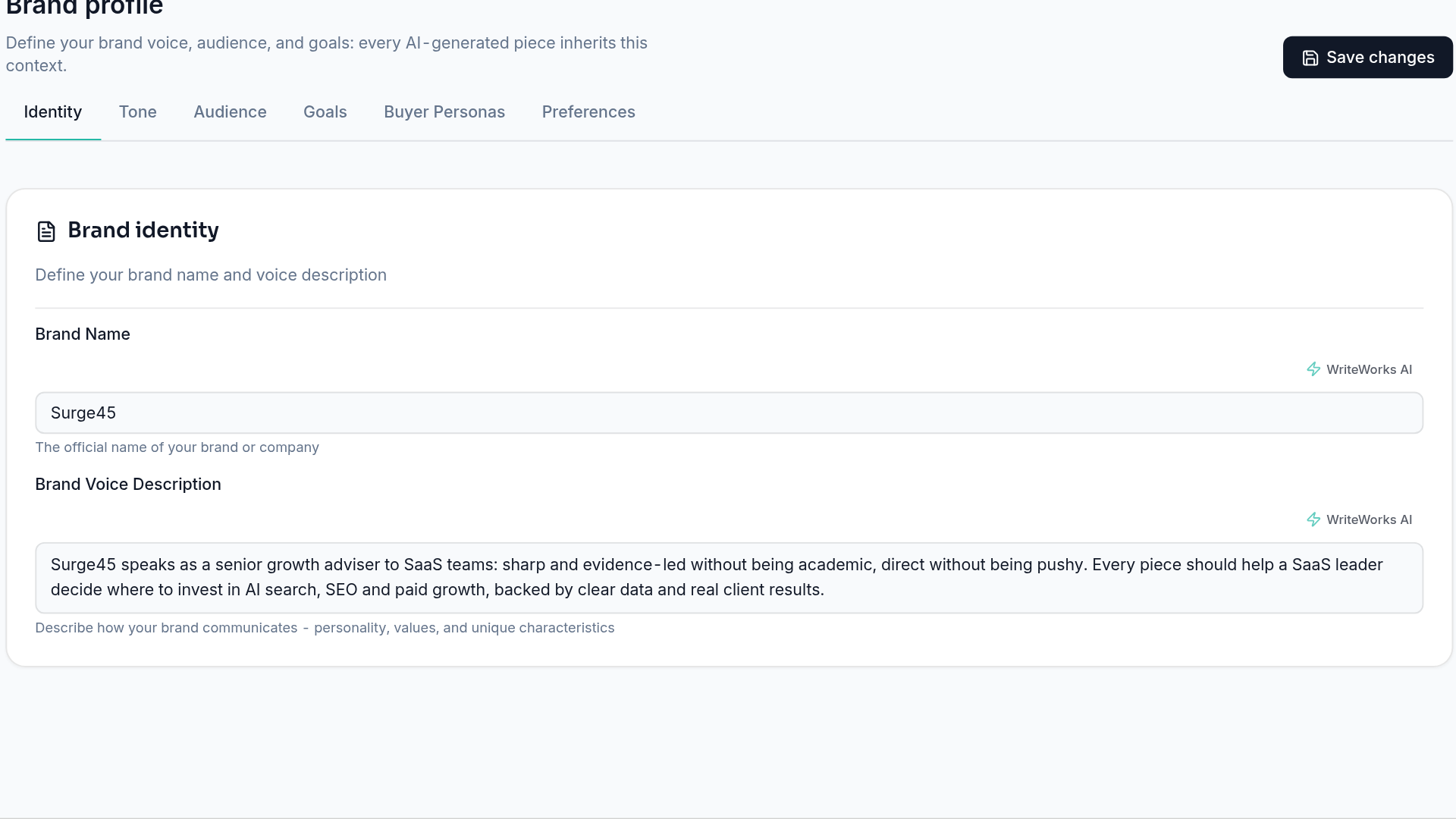
- Open your brand settings, or start creating a new brand in WriteWorks.
- Enter the basics you already know - at minimum the brand name and website. The more context you provide, the more accurate the draft.
- Select the auto-fill action on the brand profile, personas or brand kit section.
- Wait for the drafted fields to appear in place. They arrive as editable text, not as a locked summary.
- Read every field and edit. Correct the positioning, fix any product descriptions that are slightly off, and delete personas that don't match your real buyers.
- Save. Your brand kit is then available to use across the content engine and the rest of the WriteWorks platform.
Tips for a better result
- Fill in the website and a one-line description before you run it; those two inputs shape everything else.
- Check product and pricing language most carefully - generated text can generalise where your category uses specific terms.
- Keep personas few and real. Three accurate personas beat six plausible ones.
- Run auto-fill once, edit, then run it again on any remaining empty fields rather than trying to get everything in a single pass.
- Revisit the profile after a positioning change; auto-fill will not know about a repositioning it hasn't been told about.
Frequently asked questions
Does auto-fill overwrite brand details I've already written?
No. Auto-fill targets empty fields only, so anything you have already written in your brand profile, personas or brand kit is left untouched. If you want a field redrafted, clear it first and run auto-fill again. Every generated field remains fully editable before and after you save.
How accurate are the generated personas and brand kit?
They are drafts, not verified facts. Auto-fill produces a structured starting point from the brand context available to it, which is usually directionally right on audience and category but can generalise on product specifics, pricing and proprietary terminology. Always review and edit before relying on the output downstream.
Can I use auto-fill for more than one brand?
Yes. Auto-fill is available wherever brand details are set up, so it applies to each brand you create in your workspace. Agencies and multi-brand teams can use it as a repeatable onboarding step, editing each generated profile to reflect that client's actual positioning and audience.
Which plans include one-click auto-fill?
[Plan availability to be confirmed by the WriteWorks team before publication.] Current plan details and limits are listed on the WriteWorks pricing page.
The bottom line
One-click auto-fill turns brand setup from a blank form into a review-and-edit task, which makes complete, usable brand profiles far more likely - and everything built on them more accurate as a result.
If you've been putting off finishing a brand profile, open your brand settings, select auto-fill and spend ten minutes editing the draft instead of an hour writing one.