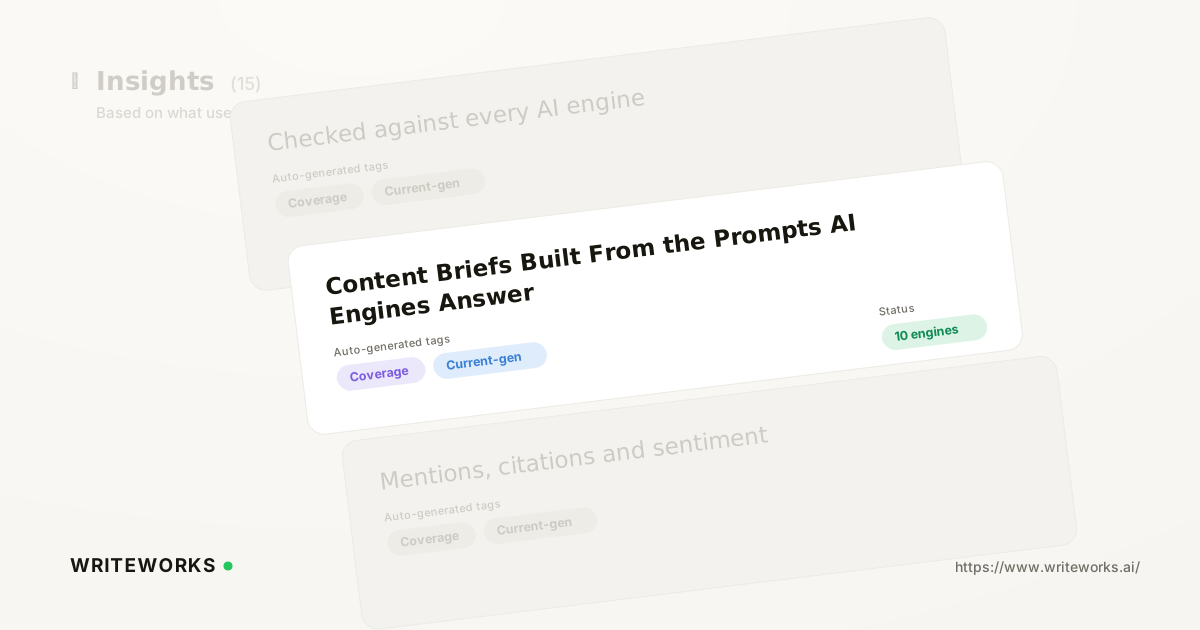
We have just shipped a brief generator that builds a ready-to-write content outline from the prompts you already track, the citations you're missing and the coverage your competitors hold. You pick a prompt or a gap; WriteWorks assembles the angle, the sections to cover, the entities and questions to answer, and the sources worth referencing. It's aimed at content and SEO teams who want each new page tied to demand they can see, rather than a keyword hunch.
Most content plans still start with a keyword tool and end in a spreadsheet. That leaves a gap between what your visibility data says buyers are asking AI engines and what actually reaches a writer's desk - and the brief is where that gap usually opens.
What is the WriteWorks brief generator?
The brief generator is a content-planning tool inside WriteWorks that converts a tracked prompt, citation gap or competitor-coverage finding into a structured outline a writer can work from immediately. Instead of starting from a blank document and a keyword list, you start from a question an AI engine is already answering - and from evidence about who it currently cites.
That distinction matters because AI answers are assembled from sources, not ranked pages alone. A brief that names the sub-questions, entities and comparisons an engine tends to surface gives your page a far better chance of being the source that gets pulled in.
How the brief generator works
It draws on the data your workspace already collects, then organises it into a brief. Three inputs do most of the work:
- Tracked prompts. The questions you monitor across AI engines, including the phrasing buyers actually use. Our prompt research with real prompt volumes feeds this, so you can favour prompts with demonstrable demand.
- Citation gaps. Prompts where a competitor is cited and you are not, plus the domains doing the citing. Our citation gap analysis that finds sources citing rivals surfaces these directly.
- Competitor coverage. What rivals publish against the same prompt set, so the brief can specify a distinct angle rather than a paler version of a page that's already cited.
From those inputs, WriteWorks drafts the brief: a working title and angle, the primary question and related sub-questions, suggested H2/H3 structure, entities and terms to cover, and the engines and prompts the page is meant to influence. You edit anything before it goes to a writer - the output is a starting draft, not a locked template.
It won't invent demand. If a topic has no tracked prompts and no citation evidence behind it, the brief will be thin, and that's deliberate.
Who the brief generator is for
It's especially useful if you:
- Plan content against AI-engine questions rather than head-term keywords alone, and want the reasoning attached to each brief.
- Run a small team where the strategist and the writer are the same person, and briefing time is the bottleneck.
- Manage multiple brands or markets and need briefs that stay consistent in structure while differing in substance.
- Need to justify a content calendar to a growth lead or exec who wants to see the demand signal behind each commissioned page.
Experienced content strategists benefit too, mainly because the mechanical part - pulling prompts, checking who's cited, listing sub-questions - is done before you start thinking about the angle.
What the brief generator changes
The practical shift is that briefing stops being a separate research project. Previously, moving from "we're not cited for this prompt" to "here's an outline a writer can start" meant exporting data, cross-checking competitors and writing the brief by hand. Now that path runs inside the WriteWorks platform, and the brief carries its own evidence.
It also changes what you measure afterwards. Because each brief is tied to specific prompts and engines, you can check whether the published page changed your visibility on those prompts instead of judging it on traffic alone.
How to build a brief from a tracked prompt
1. Open your prompt list in the AI Search Visibility area of the workspace and filter to the prompts you care about - for example, those where a competitor is cited and you aren't.
2. Select a prompt, or a citation gap, and choose the option to create a content brief from it.
3. Review the generated brief: angle, primary question, sub-questions, suggested structure, entities and target prompts.
4. Edit the angle and structure to match your positioning, then assign or export the brief to your writer or content workflow.
Tips for a better brief
- Start from gaps, not wins. Prompts where rivals are cited and you aren't tend to produce the sharpest angles.
- Group related prompts into one brief when they share intent, rather than commissioning near-duplicate pages that compete with each other.
- Keep the answer to the primary question near the top of the finished page. Google's guidance on creating helpful, reliable, people-first content remains a sound standard for pages you want engines to trust and cite.
- Pair the brief with AI content optimisation once a draft exists, so structure and coverage get checked before publication.
- Re-check competitor share of voice on the target prompts a few weeks after publishing, so you know whether the page moved anything.
Frequently asked questions
Does the brief generator write the article for me?
No. It produces a structured outline - angle, primary question, sub-questions, suggested headings, entities and target prompts - for a human or an AI writing step to work from. Drafting happens separately, and you can pass the brief into the content engine or your own editorial workflow.
Where does the brief data come from?
From your own workspace: the prompts you track across AI engines, the citations recorded against those prompts, and competitor coverage for the same prompt set. Nothing is drawn from outside your tracked data, so a brief for an untracked topic will be noticeably sparse.
Can I edit a generated brief?
Yes. Every part of the brief is editable before you hand it to a writer. The generator is designed to remove the assembly work, not to replace editorial judgement about angle, positioning or which claims your brand can credibly make.
Which teams get the most out of it?
Content and SEO teams running a regular publishing cadence, and agencies briefing across several brands. If that's your setup, our guidance for AI search for content teams covers how briefs fit alongside prompt tracking and citation monitoring.
The bottom line
Briefs built from tracked prompts, citation gaps and competitor coverage mean every commissioned page answers a question your buyers are already putting to AI engines - and you can check afterwards whether it worked.
If you'd like to see what your current gaps would produce, open your prompt list in WriteWorks and generate a brief from the first prompt where a competitor is cited and you aren't.