Based on what buyers actually ask
Auto-generated tagsFeatureAI-powered
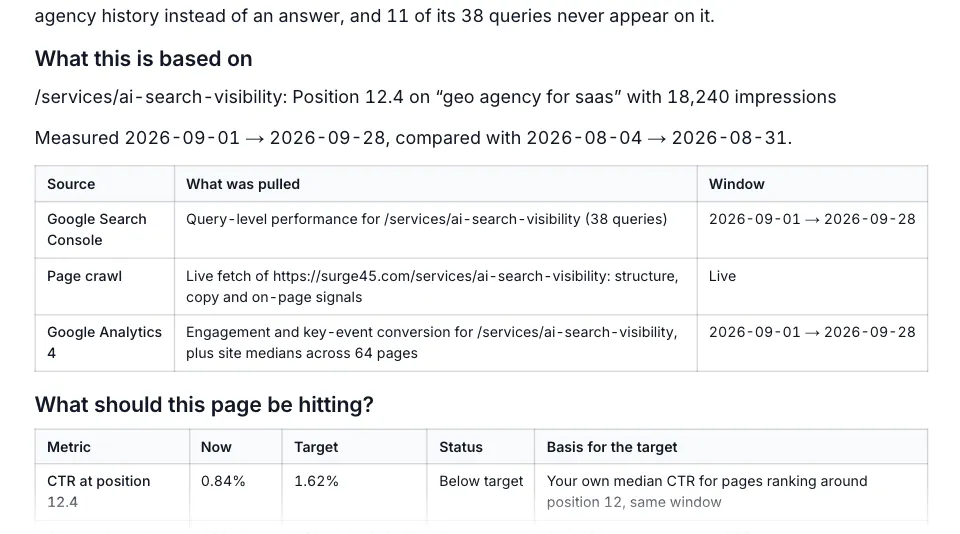
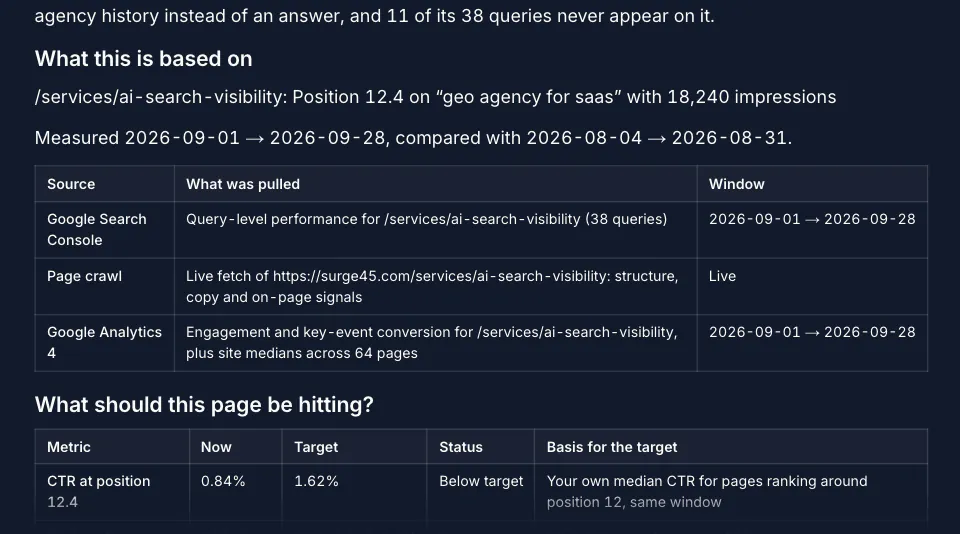
A brief that restates the keyword back at the writer is not a brief. WriteWorks builds each one from the data behind the opportunity: Search Console queries, GA4 engagement, the competitor page AI engines cite and a live scan of your page. One click saves it as a draft and opens it in the editor.
7-day trial · Cancel anytime
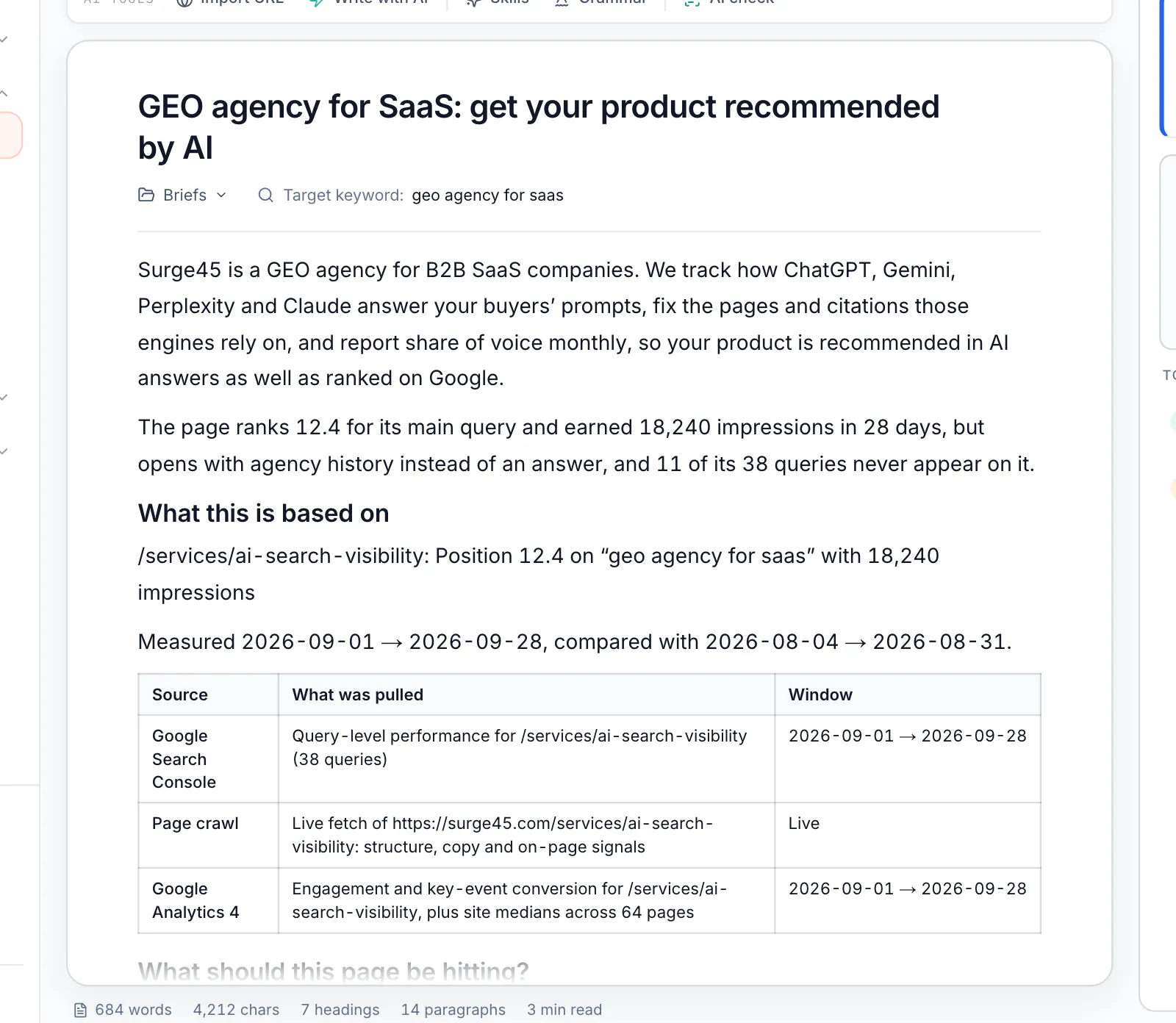
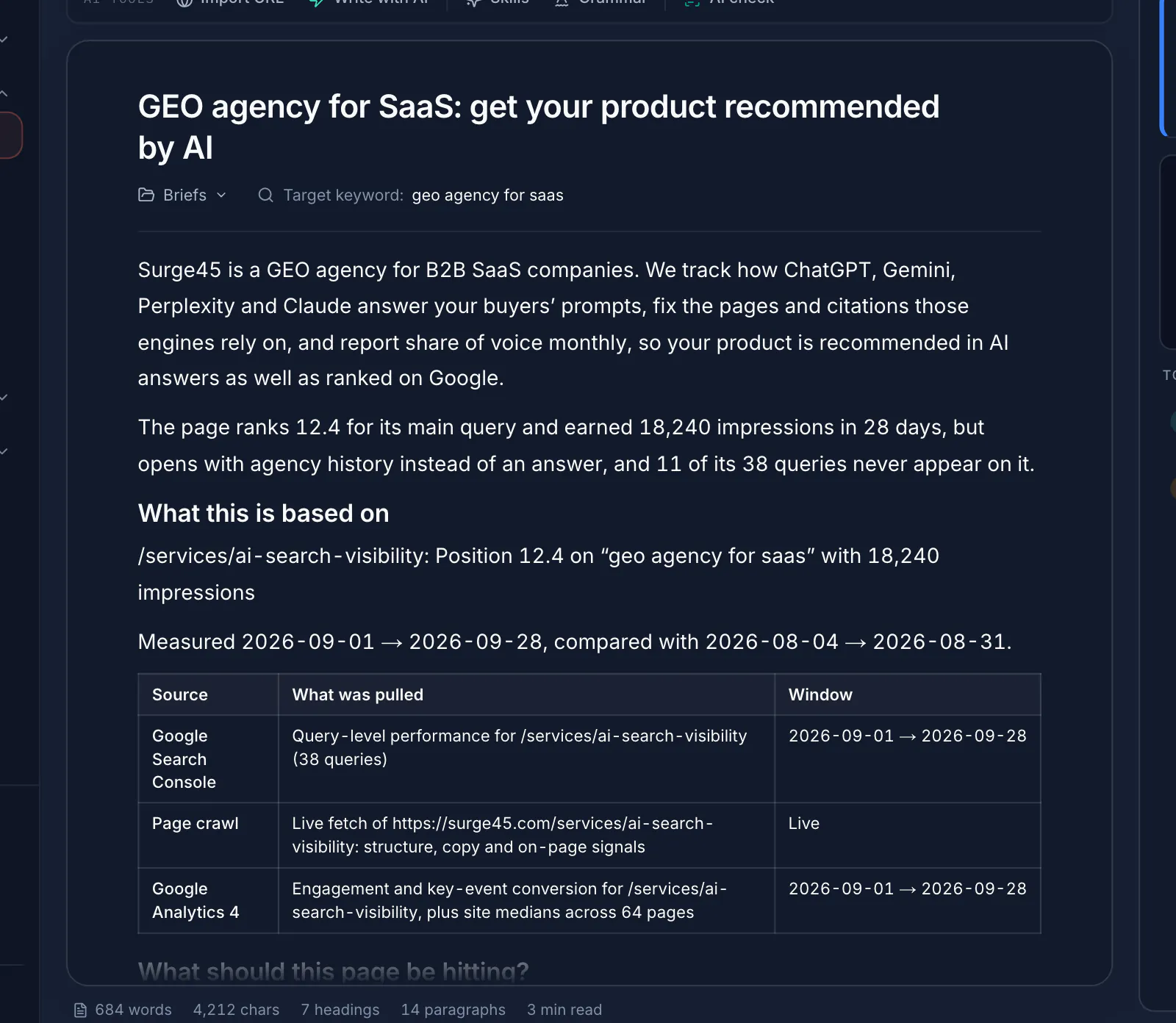
This is the working product, not a mockup: the same visibility scores, briefs and published content your team would be looking at. Start a free trial and point it at your own domain, or take the tour of what sits behind the screen.
Generic structure, missing evidence, a broken handoff.
Most content brief generators pull the same headings from the top-ranking pages. The writer learns nothing about why this page, this query or this gap matters.
Search Console, GA4 and citation data each hold part of the case for a change. Copying it into a doc takes longer than writing the brief.
A brief in one tool and a draft in another means retyping, lost context and a writer who never sees the data that prompted the work.
The same buyer question returns a different set of sources each week, so a one-off audit is stale before the fix ships.
Gather the right data, structure the brief, open the draft.
SEO opportunities bring every query the page earns impressions for, split by whether the page mentions it and whether it ranks in the top 3. AI visibility opportunities read the competitor page the engines cite instead of yours. Traffic opportunities use a conversion frame. Content opportunities bring the publish date and trend.
Each brief has a title, a 40 to 60 word direct answer to open with, a summary, ordered recommendations, target terms, a question-shaped outline and FAQs that become FAQPage schema.
The brief is saved as a draft with its provenance attached and opens in the content editor, with the target keyword already seeded in the SEO panel.
What each brand fixed, measured before and after with the same audit, in their own words.
“Not one of our influencer directory pages reached 200 words. Now 100% of them do, and the share of pages carrying schema jumped from 39% to 99%.”
Everything that goes into a WriteWorks brief.
Every query the page ranks for, covered or not, in the top 3 or not.
Live read of the page AI engines cite instead of yours.
Engagement and conversion against your own site's median.
Every figure shows where it came from and when.
Headings that match how people prompt, plus FAQs.
Saved as a draft with the target keyword in the SEO panel.
Faster briefs that writers trust.
Every content brief capability.
Content leads, specialists and agencies.
Hand writers briefs with the reasoning built in.
Turn a flagged opportunity into a brief without leaving the queue.
Produce evidence-backed briefs for clients at the pace of the opportunity queue.
“We advise SaaS brands on AI search, so having every page of our own site built on request was a little awkward. We switched to cache-friendly HTML, cleaned up the heading order, repaired our broken FAQ blocks and trimmed the sitemap. On the re-audit, 87% of pages came straight from cache, up from 0%, and every guide was in heading order. Some of our insight articles are still slow, and they're next.”
Surge45 team
Read the full storyEverything teams typically ask before getting started.
Related solutions, adjacent use cases, and platform features.
Generate a sourced content brief from any WriteWorks opportunity and open it as a draft in the editor in one click.



 Google Search Console
 Google Analytics 4
 Google Ads
 Ahrefs
 Semrush
 DataForSEO
 Firecrawl
 Tavily
 Exa
 Parallel
 G2
 WordPress
 Webflow
 Contentful
 Sanity
 Payload
 BaseHub
 Framer
 Notion
 Gamma
 v0
 Slack
 Linear
 Atlassian
 Monday.com
 Granola
 Klaviyo
 Customer.io
 OpenAI Ads
 Claude and MCP clients