Based on what buyers actually ask
Auto-generated tagsFeatureAI-powered
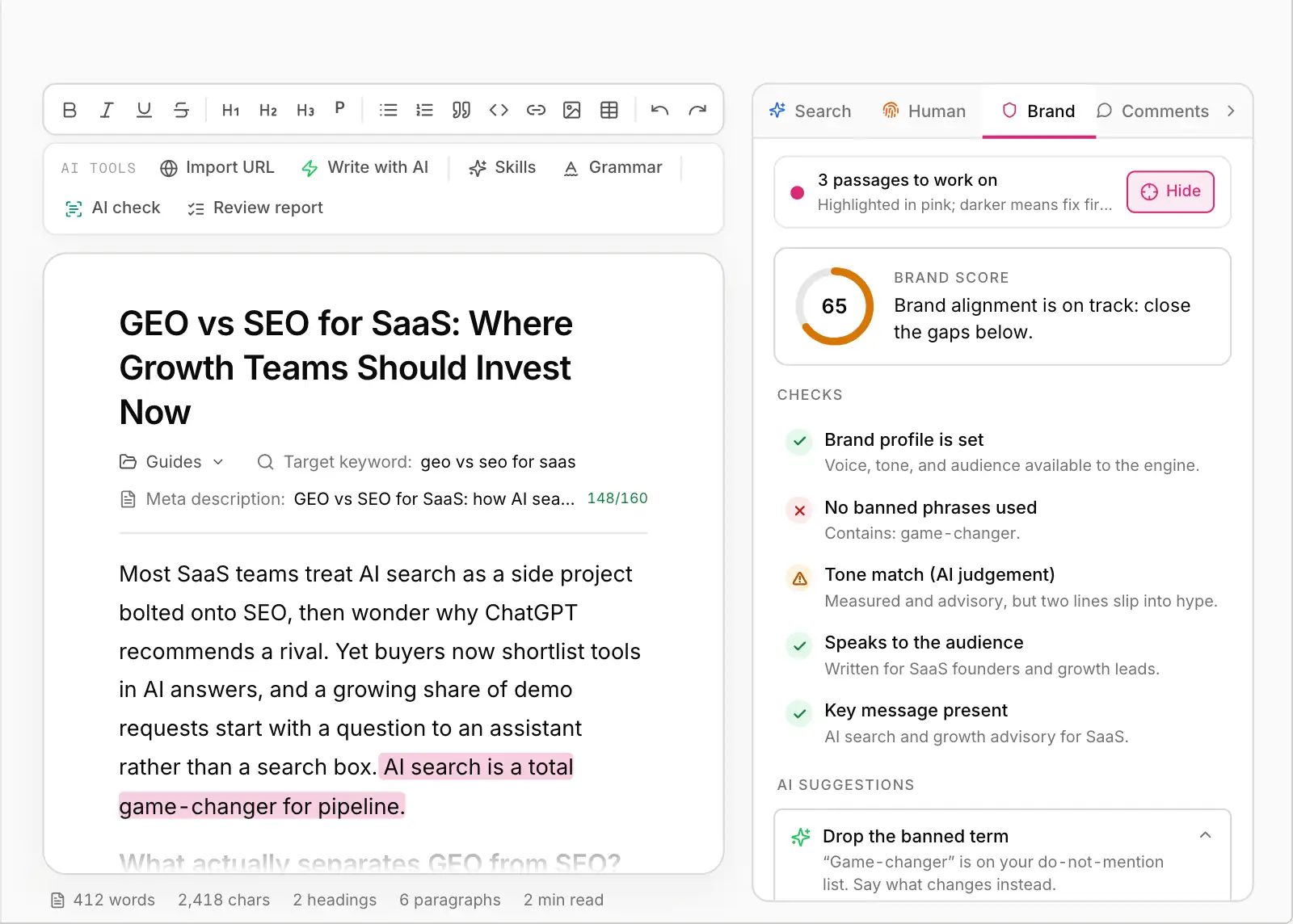
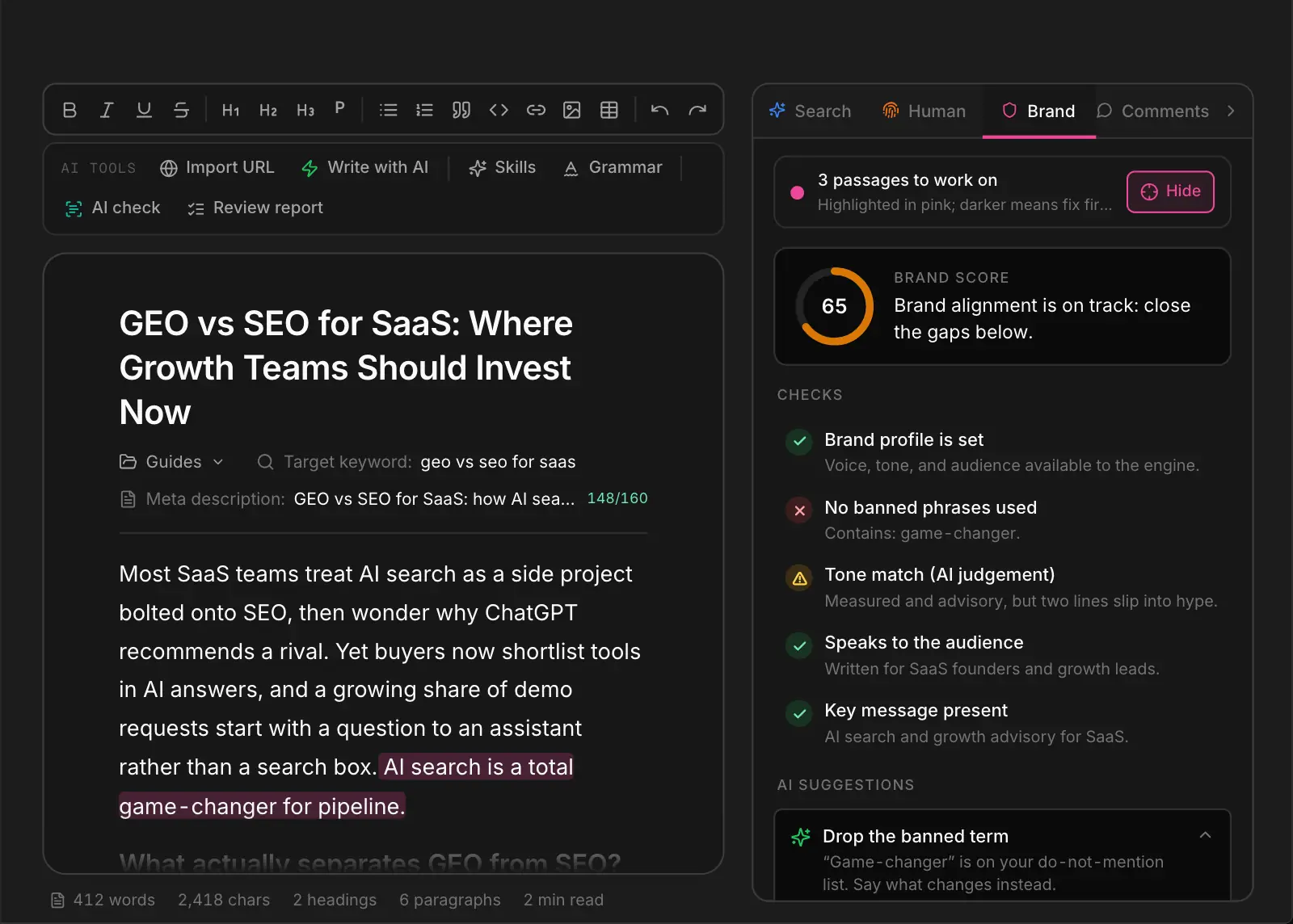
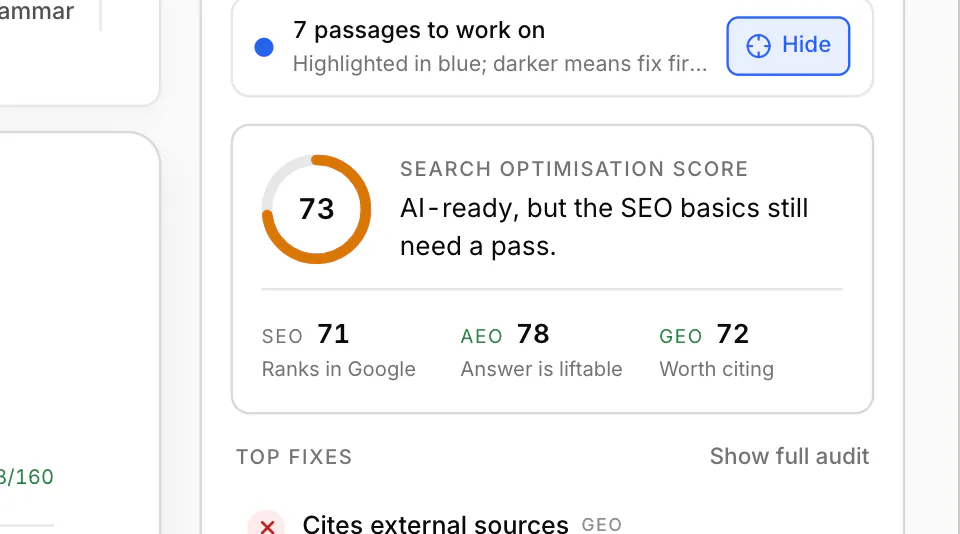
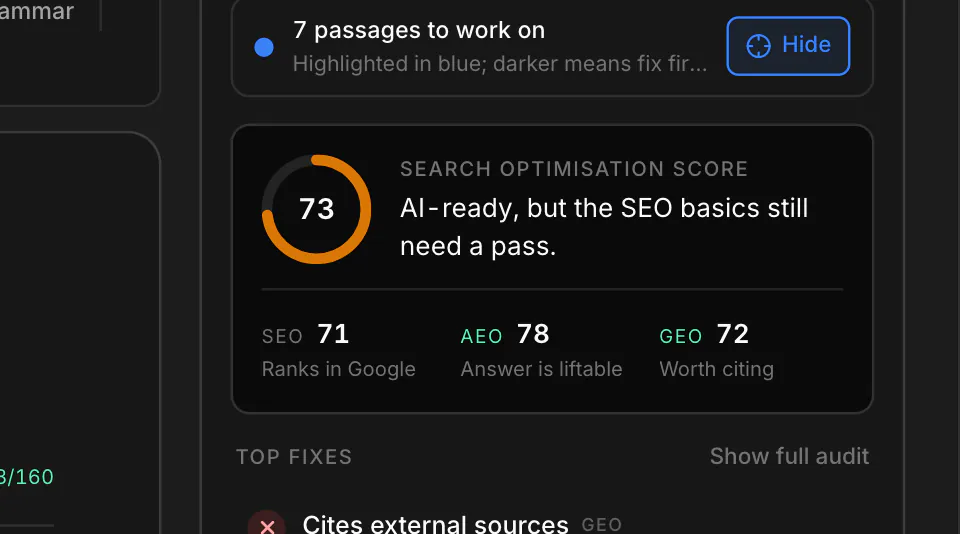
The WriteWorks content optimization tool sits in the editor's right rail, next to the draft. It reviews every piece in three tabs: Search checks SEO, answer-readiness and citation signals; Human runs Human Signal, scoring experience, expertise and information gain; Brand checks voice, tone and banned terms against your brand profile. Each check tells you what to change, where.
7-day trial · Cancel anytime
This is the working product, not a mockup: the same visibility scores, briefs and published content your team would be looking at. Start a free trial and point it at your own domain, or take the tour of what sits behind the screen.
The checks that happen too late, or not at all.
Most drafts ship without a check on whether they answer the question directly, cite sources or define the entities AI engines look for. The first feedback is the citation that never lands.
Keyword density and headings are table stakes. They say nothing about whether a page adds anything the top results don't already say.
Without a brand check on every draft, voice and banned terms get checked by hand, if at all.
Draft in one tool, score in another, check the brand by eye. The loop is broken across three windows.
Search, Human and Brand, reviewed beside the draft.
Title and meta description length, the keyword in the title and the first 100 words, word count, a single H1, readability and image alt text, plus the answer-readiness signals AI engines reward: a direct answer in the opening paragraph, question-style headings, an FAQ block ready for FAQPage schema, external sources, verifiable data points, defined entities and recency.
Human Signal scores evidence of experience, expertise, authority and trust, and the information the draft adds beyond what AI answers and top results already say, with fixes ranked by impact.
The Brand tab reviews the draft against your brand profile and highlights off-brand wording and banned terms in place.
Highlight what each tab flags directly in the text, then rewrite any passage with the one-tap AI actions without leaving the editor.
What each brand fixed, measured before and after with the same audit, in their own words.
“Nobody had spotted that our market homepages carried no structured data at all. Now 100% of them tell AI exactly who GraftPal is, and every FAQ page in the audit carries a modified date.”
Every tab and tool in the right rail.
On-page SEO plus answer-readiness and citation checks.
Human Signal: EEAT and information gain, 0 to 100.
Voice, tone and banned terms against your profile.
See exactly which sentences each tab is talking about.
Rewrite, expand or simplify any flagged passage.
Reviewer comments in the same panel.
Review in the editor, not after it.
Every check in the content optimization tool.
Writers, editors, specialists and managers.
Know what to change before the draft goes to review.
On-page SEO and answer-readiness in one content optimization tool.
One publishing bar across search, substance and brand.
Brand checks on every launch asset.
“Honestly, the jobs board looked fine in a browser, so we never questioned it. The audit showed that only 5% of our job pages gave crawlers real content. We moved the listings into the server HTML, and the re-audit came back at 100%. The typical job page now carries 73% of its content before any JavaScript runs, and we're working through the rest.”
GoTeachingJobs team
Read the full storyEverything teams typically ask before getting started.
Related solutions, adjacent use cases, and platform features.
Search, Human and Brand reviews in the editor's right rail, with highlights in the draft and one-tap rewrites.



 Google Search Console
 Google Analytics 4
 Google Ads
 Ahrefs
 Semrush
 DataForSEO
 Firecrawl
 Tavily
 Exa
 Parallel
 G2
 WordPress
 Webflow
 Contentful
 Sanity
 Payload
 BaseHub
 Framer
 Notion
 Gamma
 v0
 Slack
 Linear
 Atlassian
 Monday.com
 Granola
 Klaviyo
 Customer.io
 OpenAI Ads
 Claude and MCP clients